Yono SBI 2.0 Redesign
Yono SBI 2.0 Redesign
Comprehensive UX/UI case study redesigning the Yono SBI app. Focused on reducing cognitive load and modernizing the interface for Android users.
Comprehensive UX/UI case study redesigning the Yono SBI app. Focused on reducing cognitive load and modernizing the interface for Android users.
My Role
Product Designer
Project Name
Redesign
Team Size
Solo
Timeline
3 Weeks
Category
Fintech
My Role
Product Designer
Project Name
Redesign
Team Size
Solo
Timeline
3 Weeks
Category
Fintech
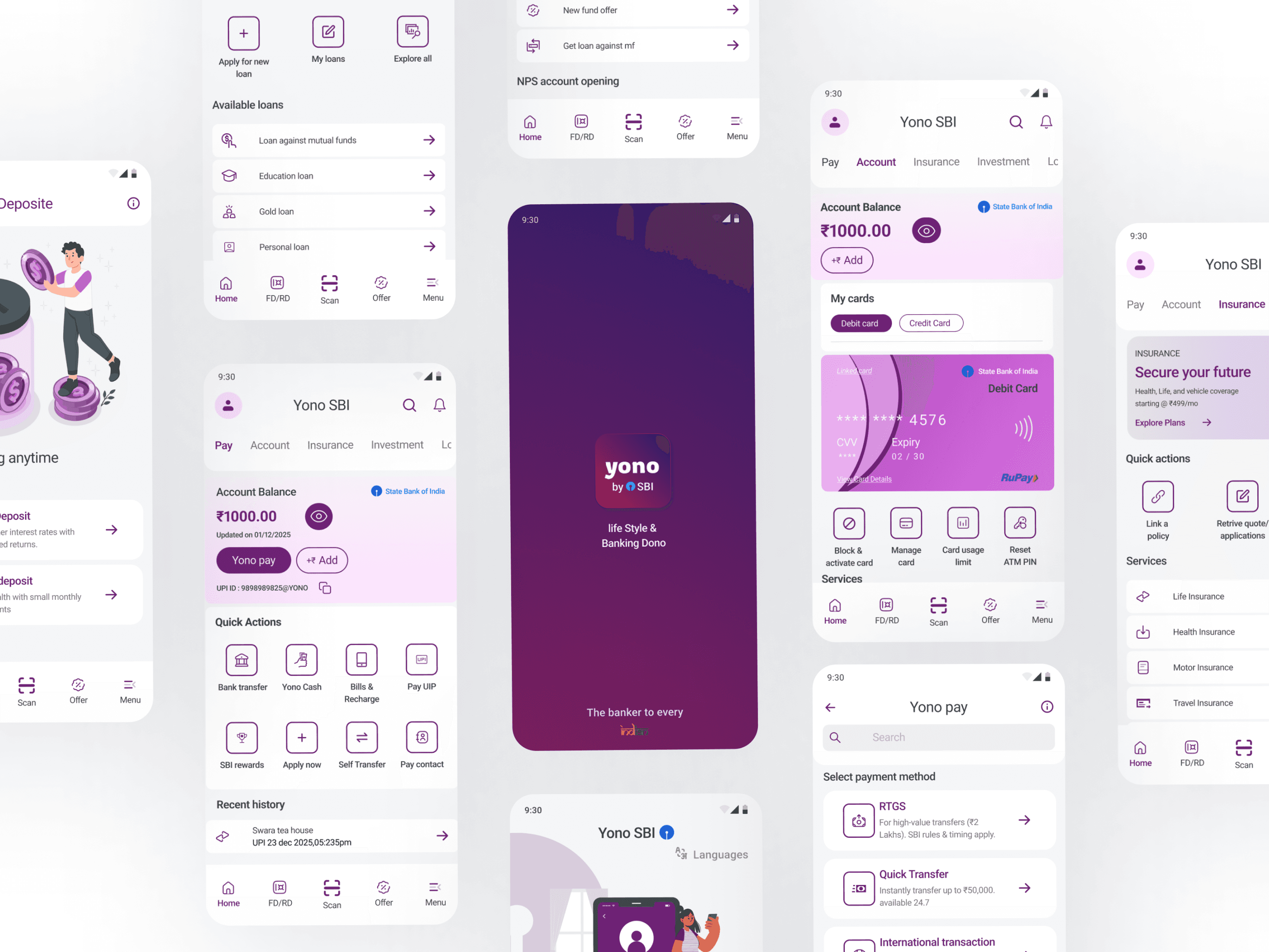
Got a Minute?
Quickly know what I did
Got a Minute?
Quickly know what I did
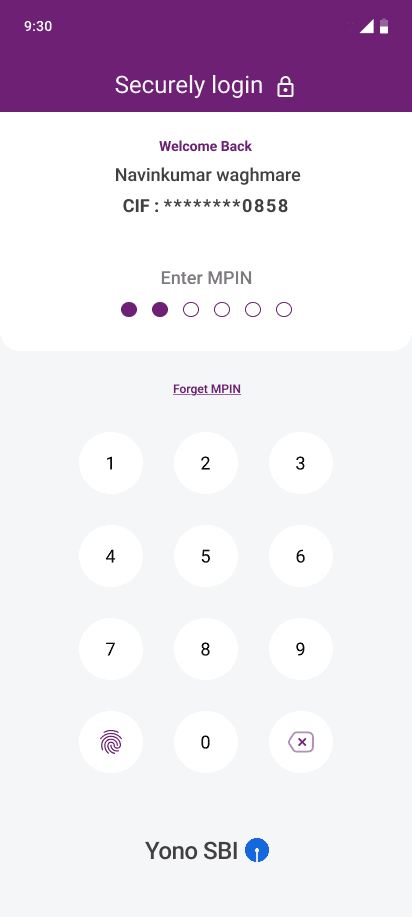
Secure Login (Biometric & MPIN)
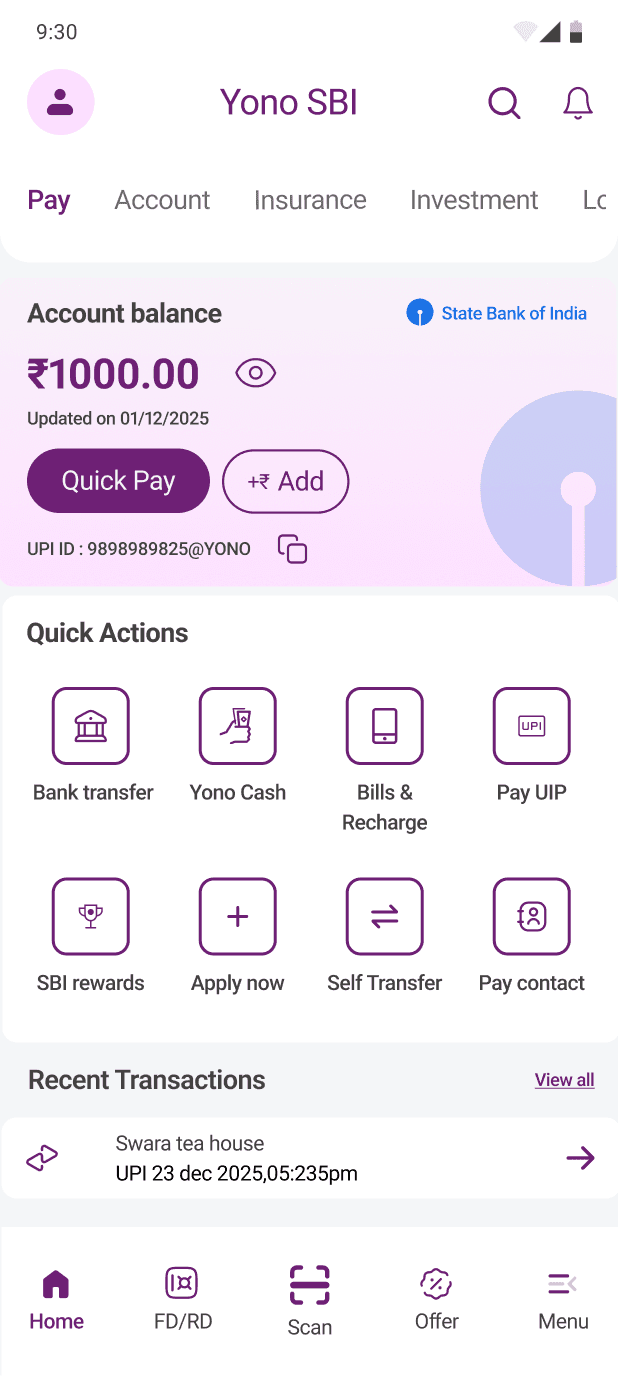
Clutter-free Home Dashboard
Quick Actions (Scan & Pay, Request Money)
Simplified Fund Transfer Flow
Transaction Success & Receipt
Secure Login (Biometric & MPIN)
Clutter-free Home Dashboard
Quick Actions (Scan & Pay, Request Money)
Simplified Fund Transfer Flow
Transaction Success & Receipt
Quick Overview
Quick Overview
Problem Statement
Problem Statement
The current Yono SBI app feels overwhelming. Users are forced to dig through three conflicting menus just to find basic features like "Pay" or "Check Balance." The crowded layout and tiny text turn simple tasks into stressful chores, making the app feel unsafe and difficult to use
The current Yono SBI app feels overwhelming. Users are forced to dig through three conflicting menus just to find basic features like "Pay" or "Check Balance." The crowded layout and tiny text turn simple tasks into stressful chores, making the app feel unsafe and difficult to use
Solution
Solution
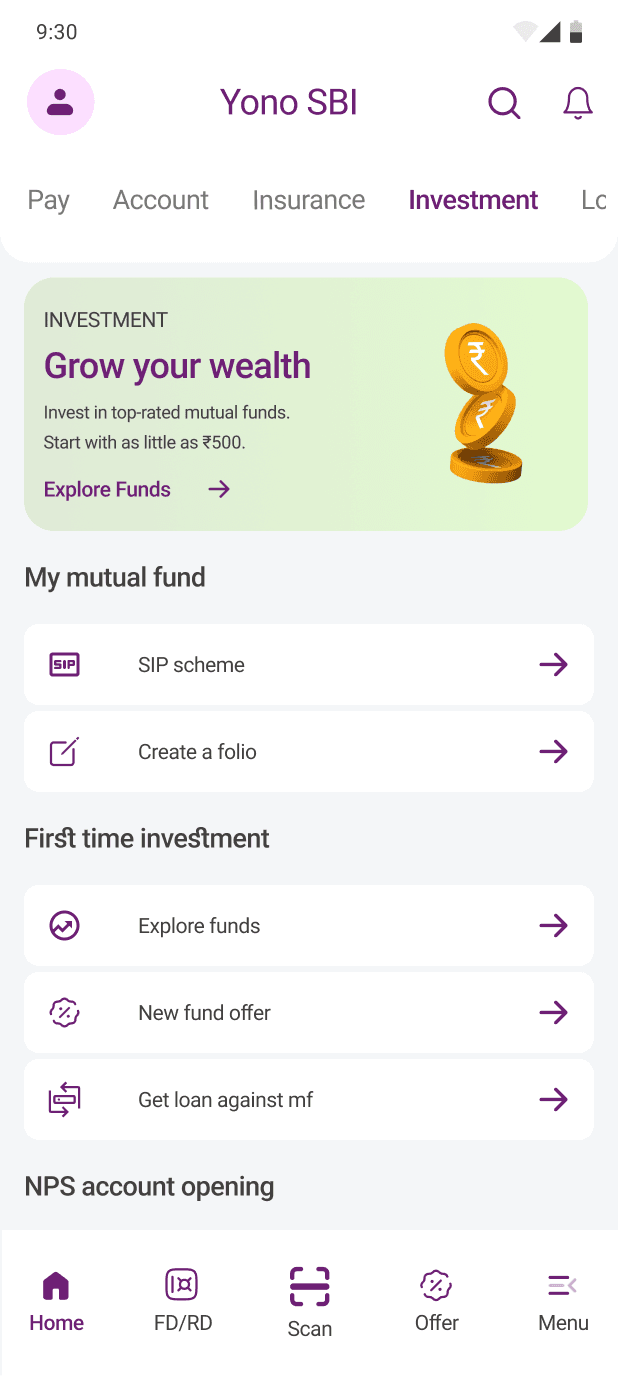
I redesigned the Yono SBI interface to prioritize speed and readability. By restructuring the information architecture, I brought essential features like "Quick Pay" and "Balance Check" to the forefront. The new visual language utilizes a clean, card-based layout and generous whitespace to reduce cognitive load, ensuring users can navigate complex banking tasks with confidence and ease.
I redesigned the Yono SBI interface to prioritize speed and readability. By restructuring the information architecture, I brought essential features like "Quick Pay" and "Balance Check" to the forefront. The new visual language utilizes a clean, card-based layout and generous whitespace to reduce cognitive load, ensuring users can navigate complex banking tasks with confidence and ease.


Enjoyed the quick peek?
Enjoyed the quick peek?
Let’s dive deeper into the project
Let’s dive deeper into the project
Project outline
Project outline
Base
Base
01 Context
01 Context
02 Research
02 Research
Phase 1 (Startegy)
Phase 1 (Startegy)
04 The User
04 The User
05 The Friction
05 The Friction
06 The Logic
06 The Logic
Phase 2 (Execution)
Phase 2 (Execution)
07 Visual Identity
07 Visual Identity
08 The Solution
08 The Solution
09 Results
09 Results
Base
Base
Context
Context
Why I Redesign Yono 2.0
Why I Redesign Yono 2.0
use SBI, and I see my family use it. But honestly, the current app feels overwhelming. There are too many menus, too many ads, and simple tasks like 'paying a bill' are hidden behind multiple clicks.
use SBI, and I see my family use it. But honestly, the current app feels overwhelming. There are too many menus, too many ads, and simple tasks like 'paying a bill' are hidden behind multiple clicks.
Research Part
Research Part
Voices from the Play Store & User Survey.
Voices from the Play Store & User Survey.
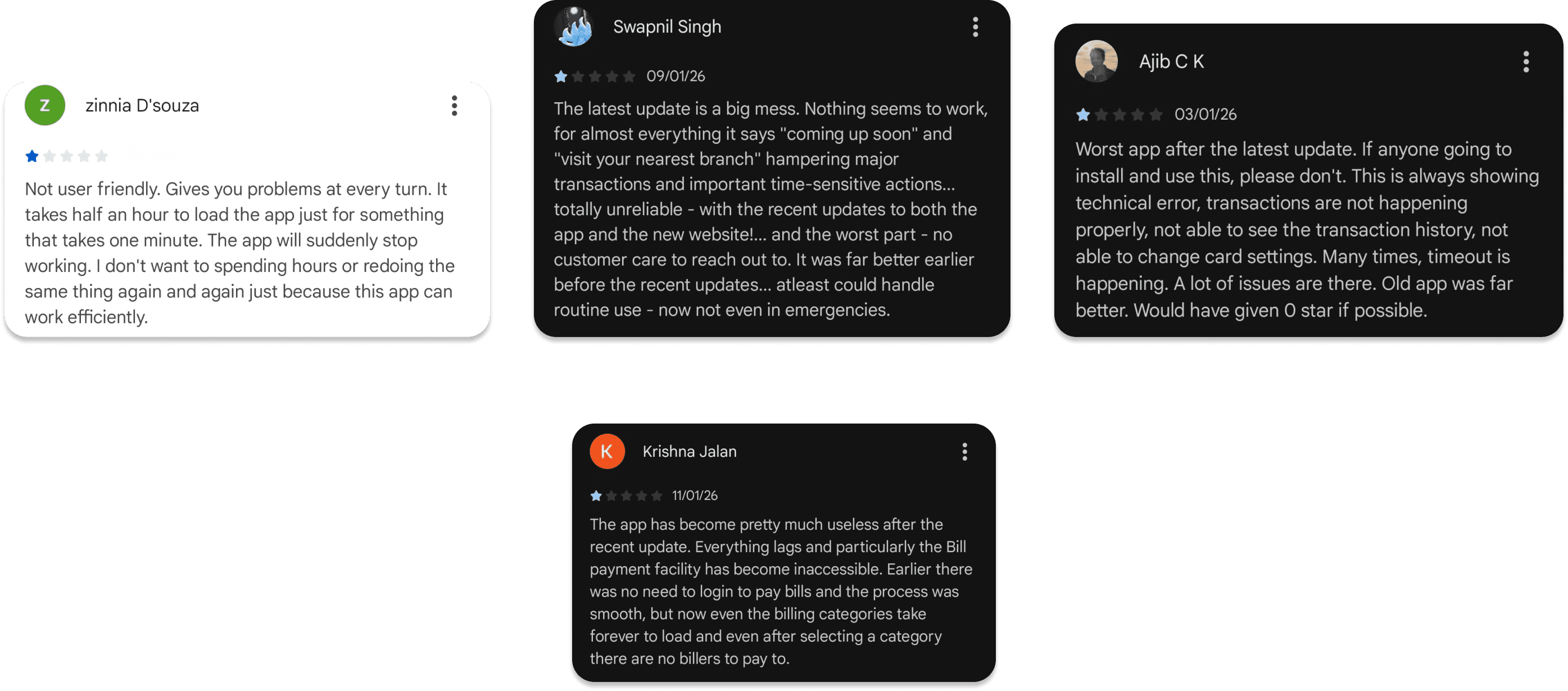
Primary Research
Primary Research
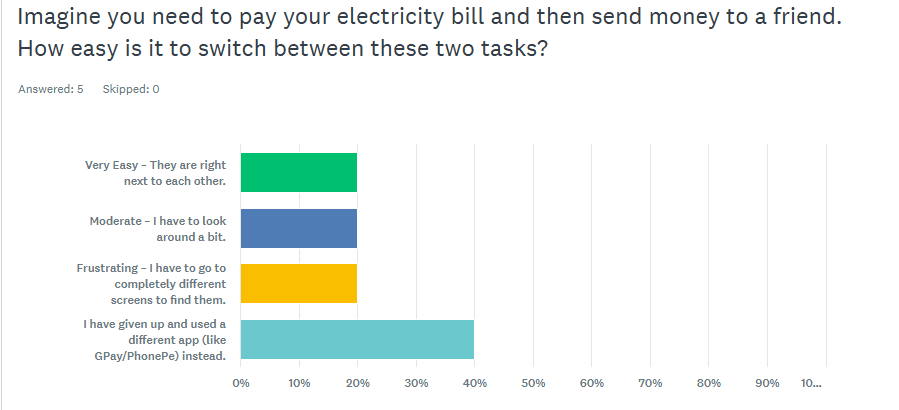
40% have quit the app to use GPay/PhonePe because switching tasks is too hard.
40% have quit the app to use GPay/PhonePe because switching tasks is too hard.
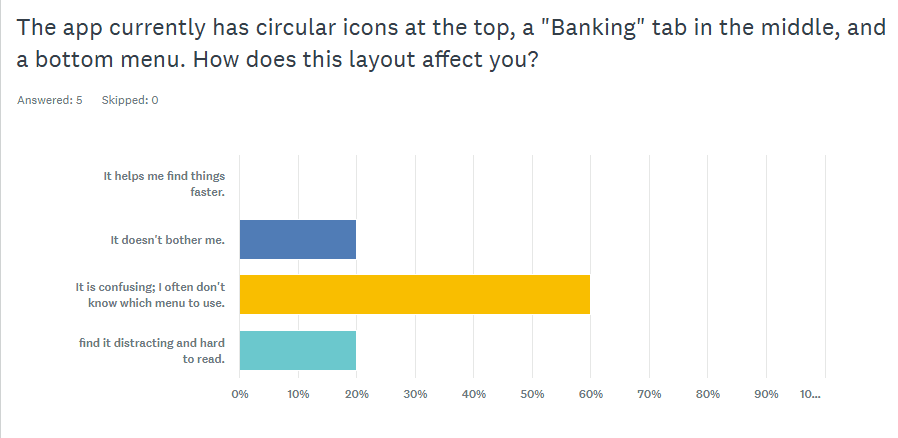
60% find the current menu structure confusing. (Place "Menu Layout" Chart here)
60% find the current menu structure confusing. (Place "Menu Layout" Chart here)
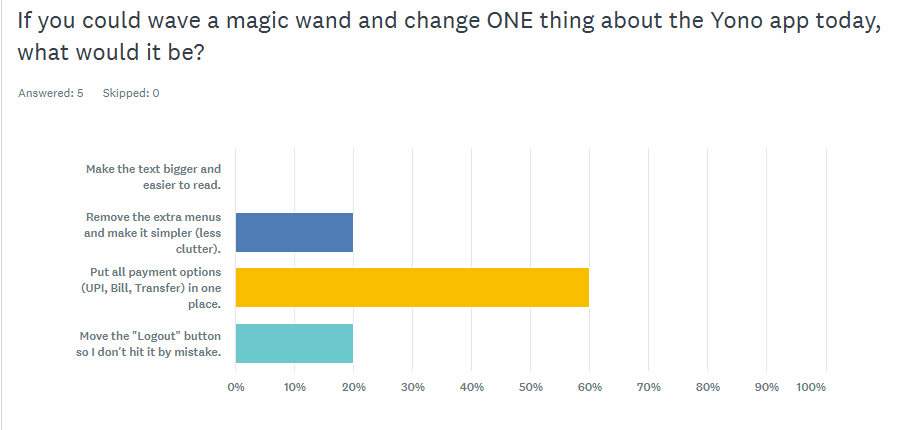
60% of users explicitly requested to "consolidate all payment options" into one spot.
60% of users explicitly requested to "consolidate all payment options" into one spot.
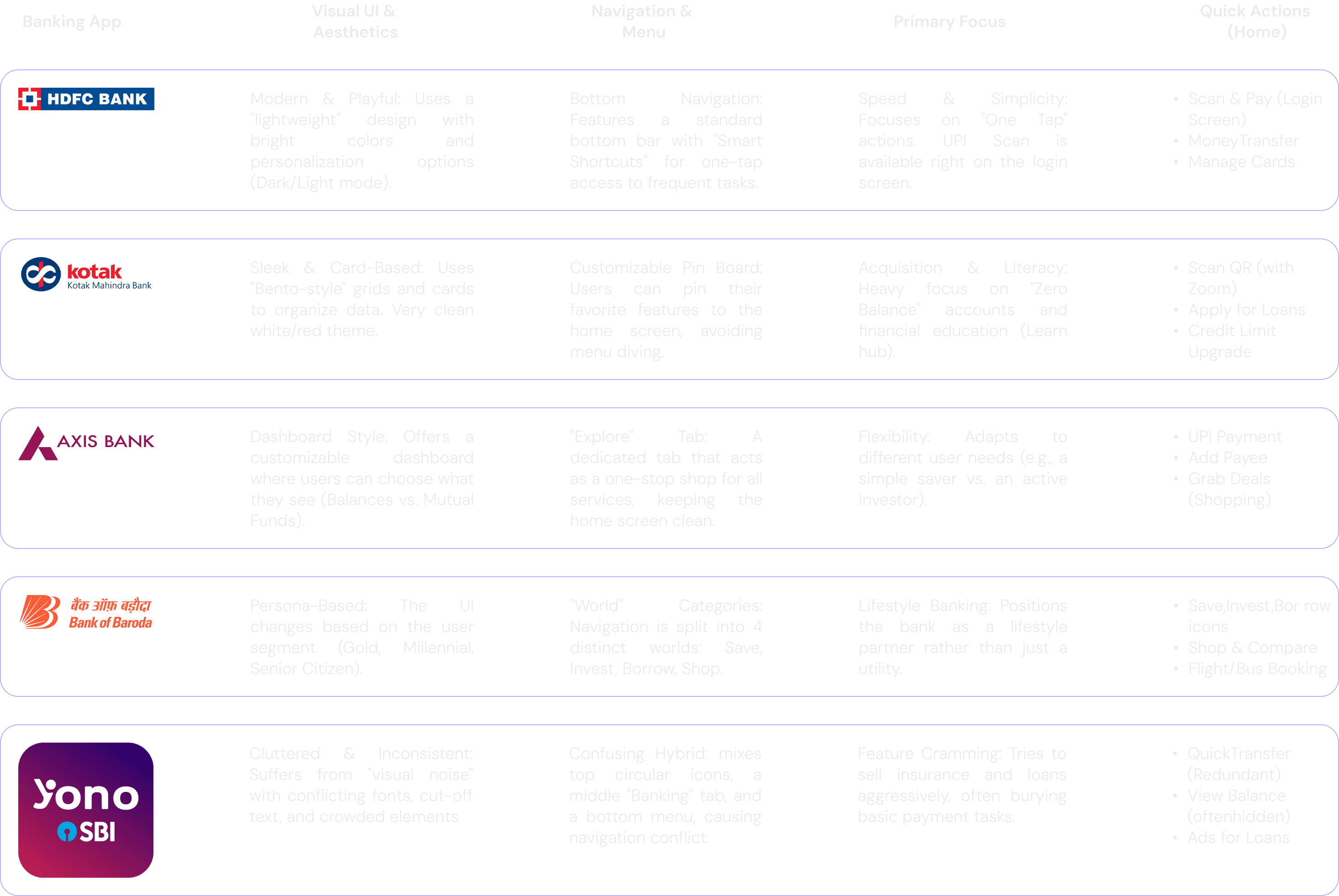
Competitive Analysis:
Competitive Analysis
PHASE 1
Startegy
PHASE 1
Startegy
The User : Defining Personas
The User : Defining Personas

Name: Utkarsh
Name: Utkarsh
Age: 29
Age: 29
Occupation: Marketing Freelancer
Occupation: Marketing Freelancer
Pain Point: Bad Visual Hierarchy & Logic
Pain Point: Bad Visual Hierarchy & Logic
I consider myself pretty good with tech, but this layout makes no sense. I was in a rush to pay my landlord, so I opened the transfer screen and tapped the huge button at the top instinctively. Guess what? It was 'Transaction History.' Why is the history button bigger than the actual 'Pay' button? I tapped the wrong thing three times. It feels like the app is trying to trick me.
I consider myself pretty good with tech, but this layout makes no sense. I was in a rush to pay my landlord, so I opened the transfer screen and tapped the huge button at the top instinctively. Guess what? It was 'Transaction History.' Why is the history button bigger than the actual 'Pay' button? I tapped the wrong thing three times. It feels like the app is trying to trick me.

Name: Suresh
Age: 68
Occupation: retired School Teacher
Pain Point: Fear & Cognitive Overload
To be honest, I get a little scared opening the app now. Yesterday, I just wanted to check if my pension came in, but there were these colorful circles spinning at the top, a 'Banking' tab in the middle, and then more tabs at the bottom. I didn't know which one to touch. Then I saw a warning box where the sentence just stopped halfway... I thought I broke something! I just wish 'Check Balance' was big and clear so I didn't have to hunt for it.
Name: Suresh
Age: 68
Occupation: retired School Teacher
Pain Point: Fear & Cognitive Overload
To be honest, I get a little scared opening the app now. Yesterday, I just wanted to check if my pension came in, but there were these colorful circles spinning at the top, a 'Banking' tab in the middle, and then more tabs at the bottom. I didn't know which one to touch. Then I saw a warning box where the sentence just stopped halfway... I thought I broke something! I just wish 'Check Balance' was big and clear so I didn't have to hunt for it.
The Friction : Pain points
The Friction : Pain points
Navigation Overload
Users are confused by having three conflicting menus (spinning circles, middle tabs, and bottom bars) all on one screen. They don't know where to start.
Users are confused by having three conflicting menus (spinning circles, middle tabs, and bottom bars) all on one screen. They don't know where to start.

Hidden "Basics"
Simple tasks are hard to find. Users have to dig through multiple screens just to find "Bill Pay" or "Fund Transfer," which should be instant.
Simple tasks are hard to find. Users have to dig through multiple screens just to find "Bill Pay" or "Fund Transfer," which should be instant.

Fear of Mistakes (Anxiety)
Critical security controls (like blocking a card) are buried deep in settings.
Critical security controls (like blocking a card) are buried deep in settings.

The Trust Gap (Visibility)
Users complain about transaction failures and delayed history updates. When users can't see their money move instantly, they panic.
Users complain about transaction failures and delayed history updates. When users can't see their money move instantly, they panic.

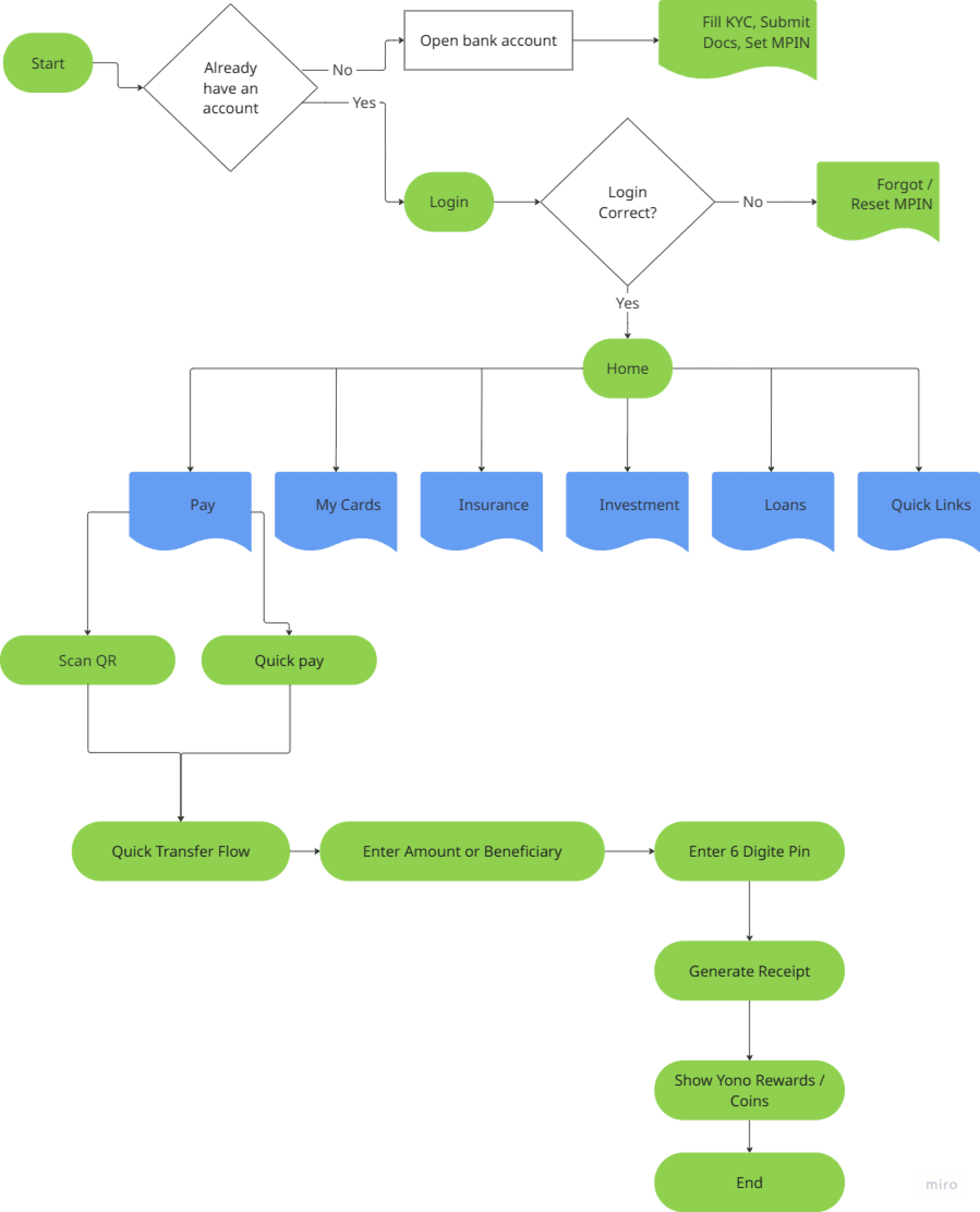
The Logic : User Flow
The Logic : User Flow
PHASE 2
Execution
PHASE 2
Execution
Visual Identity
Visual Identity
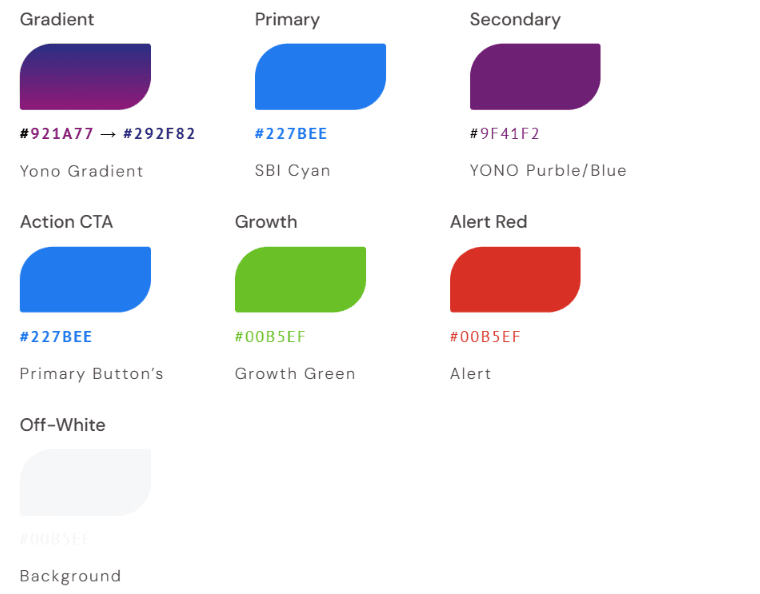
Brand Color’s
Brand Color’s
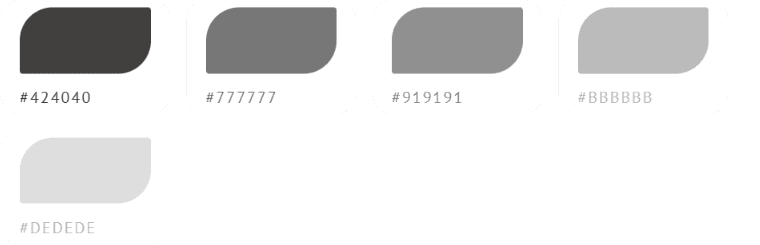
Greys
Greys
The Solution
The Solution
Possible Solution
Possible Solution
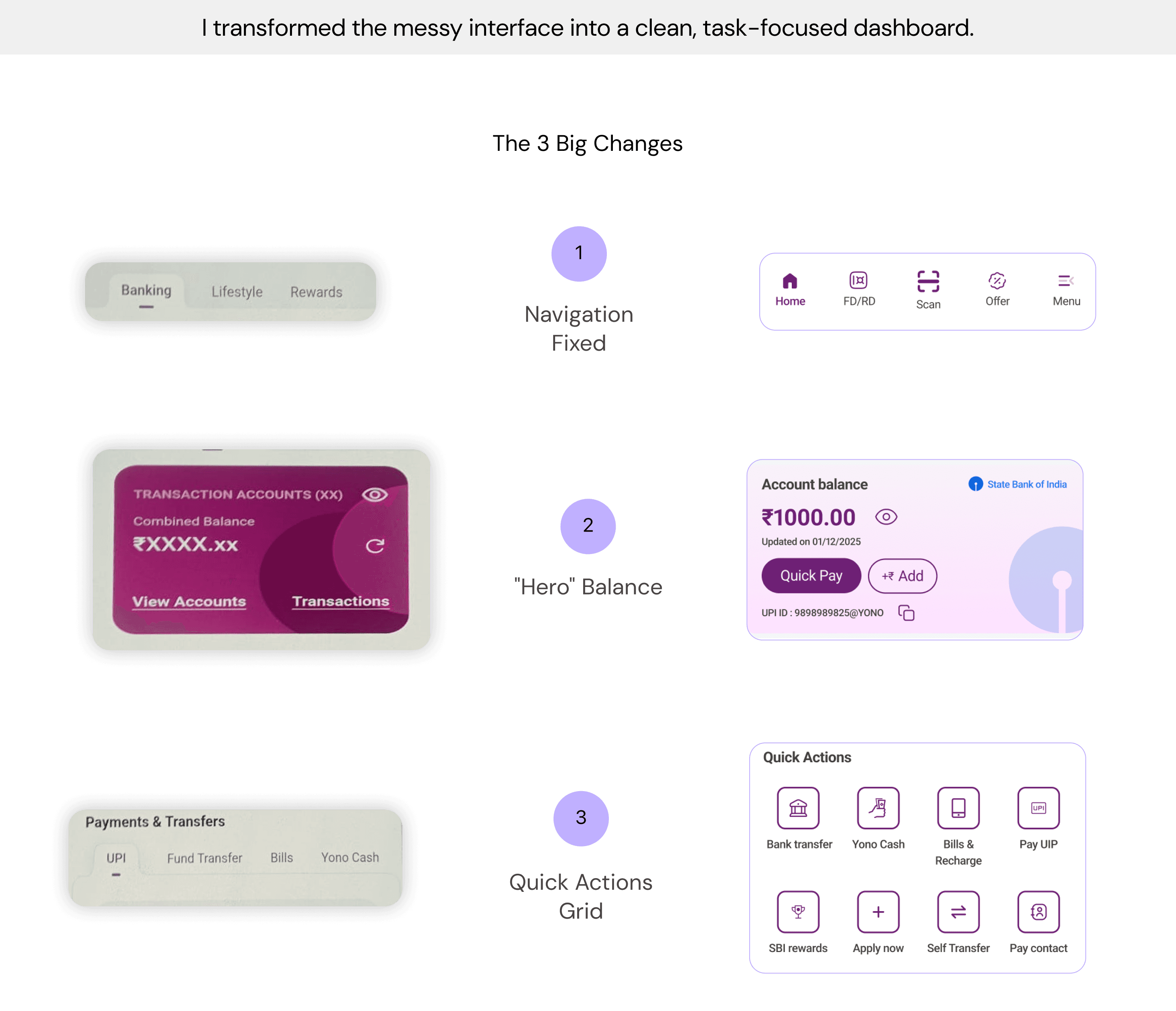
Solution & Comparision
Solution & Comparision
Old
Old
New
New
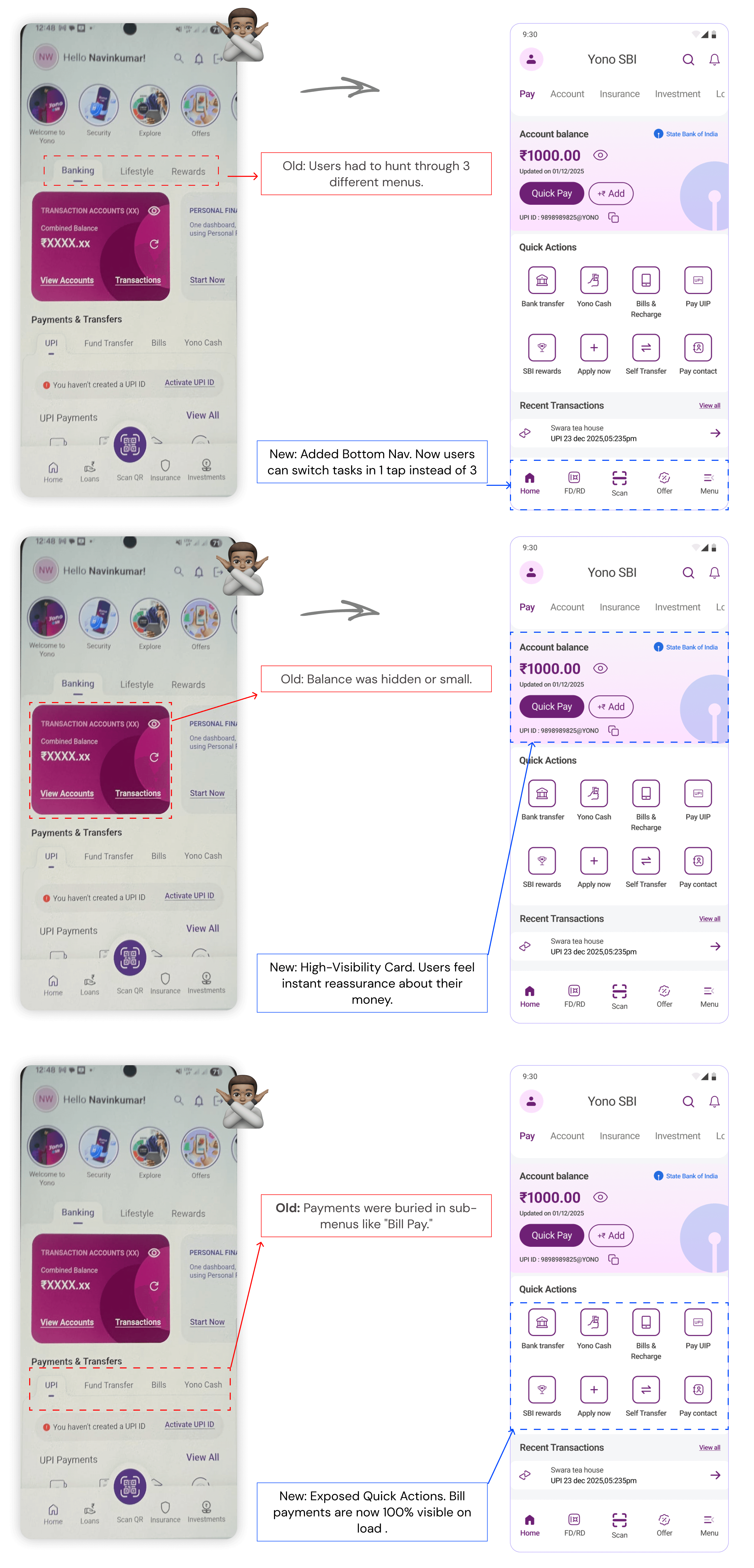
Results
Results
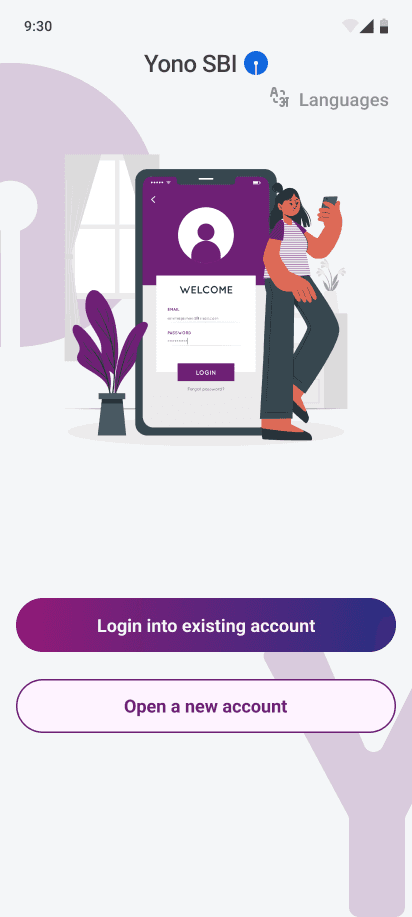
Login Screen
Login Screen

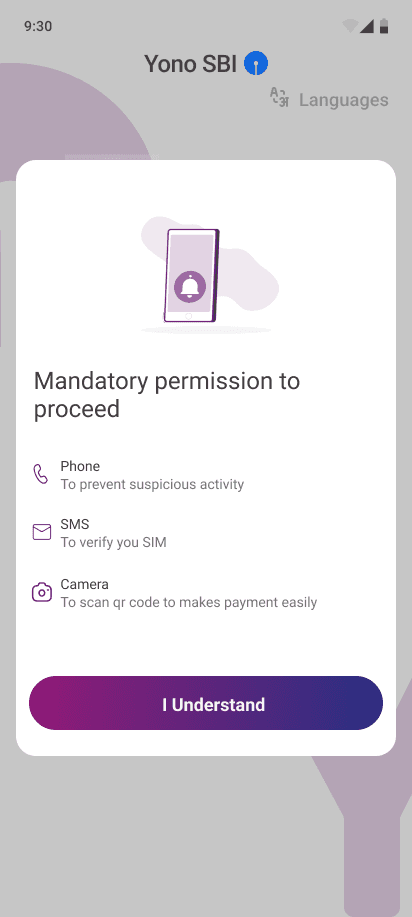
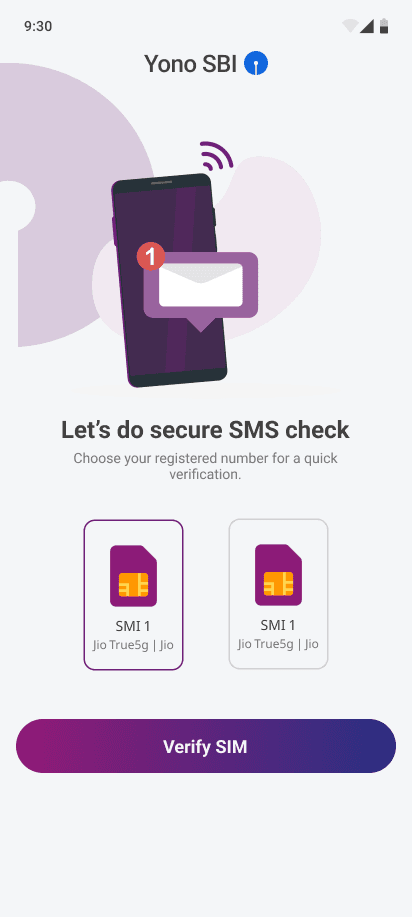
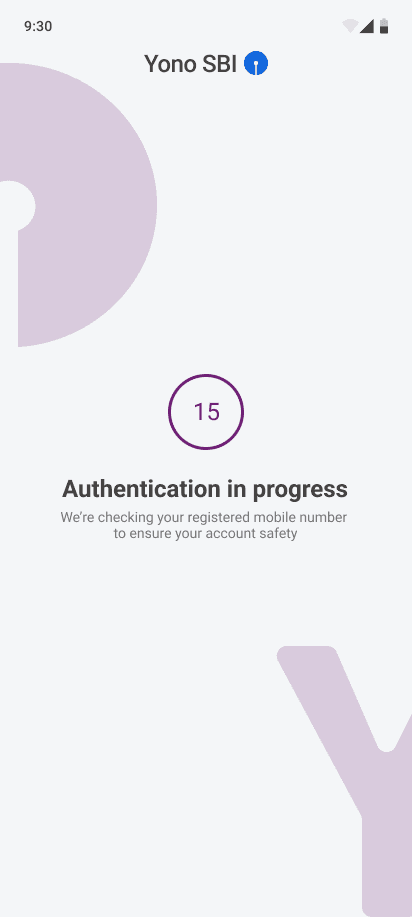
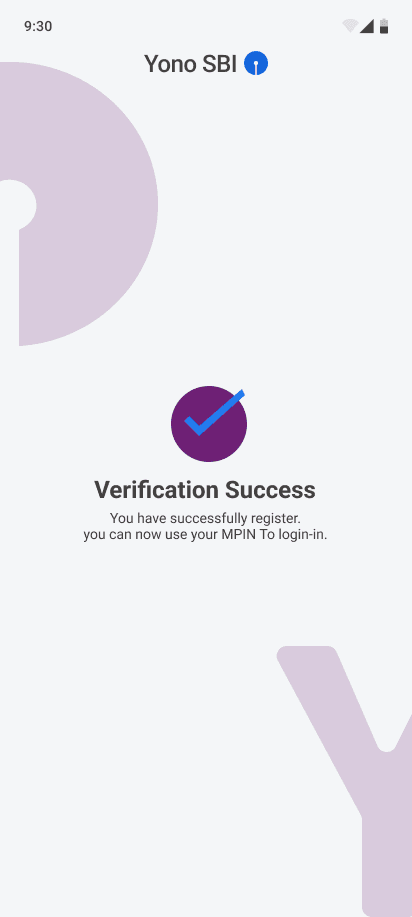
Home Screen
Home Screen
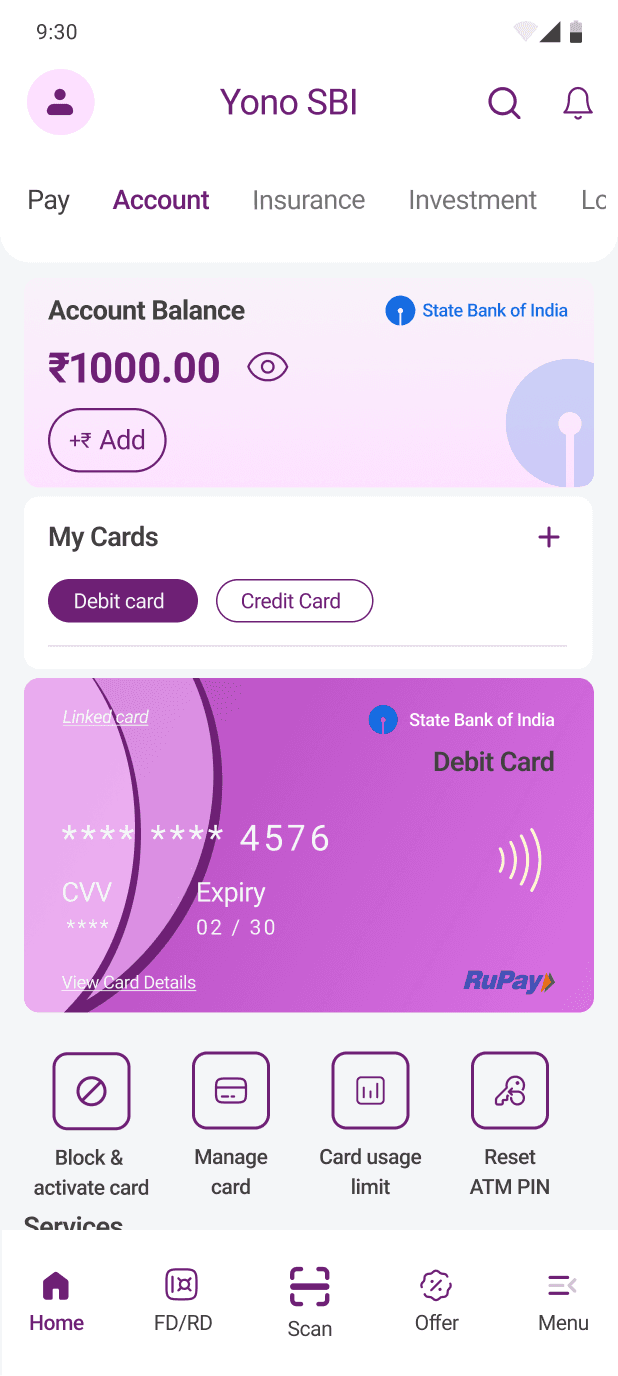
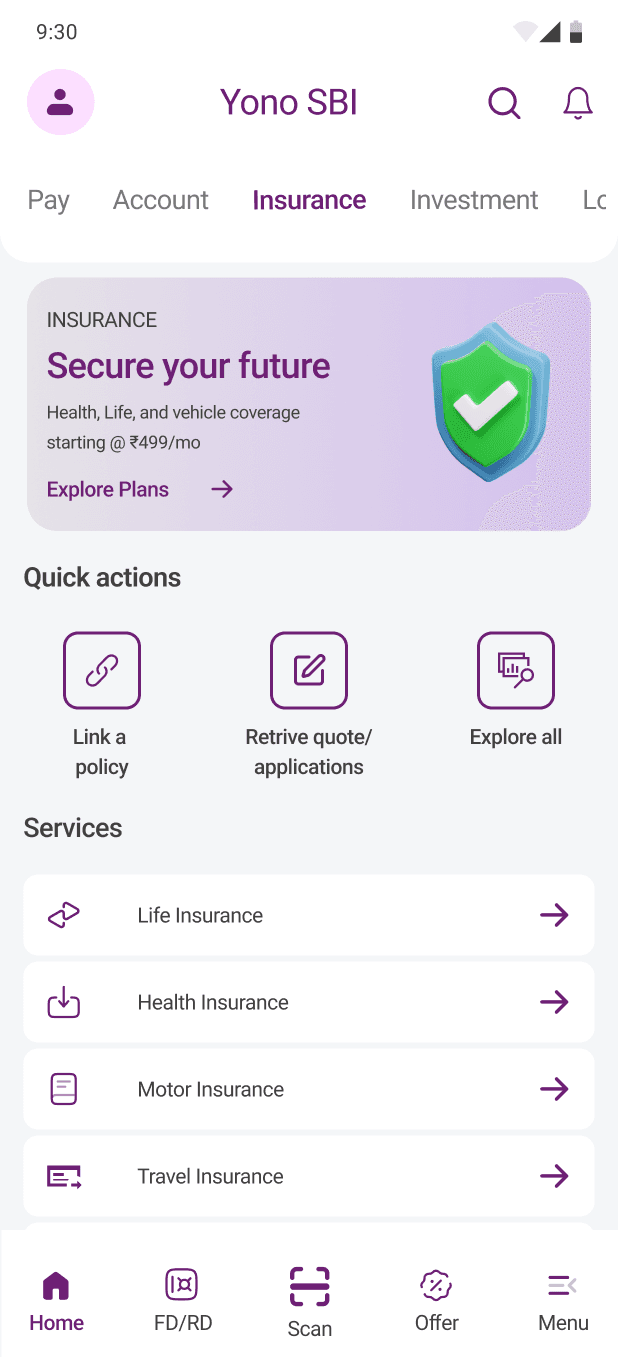
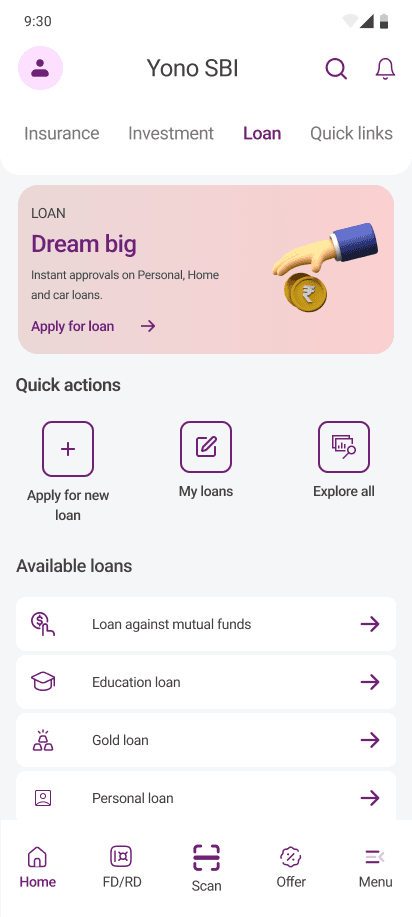
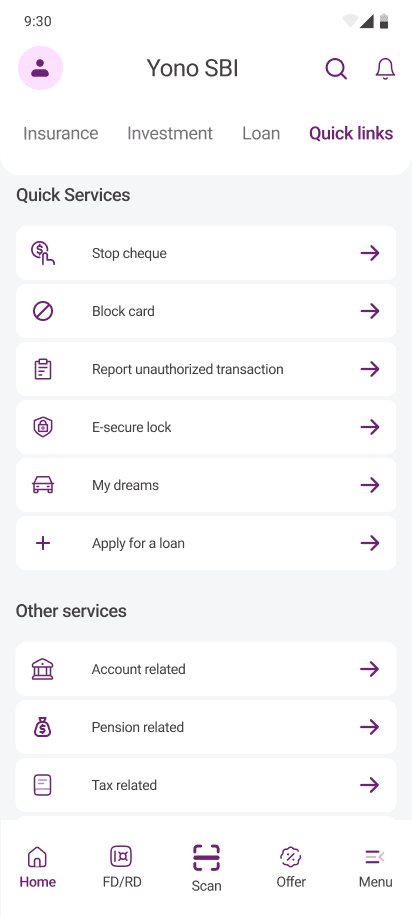
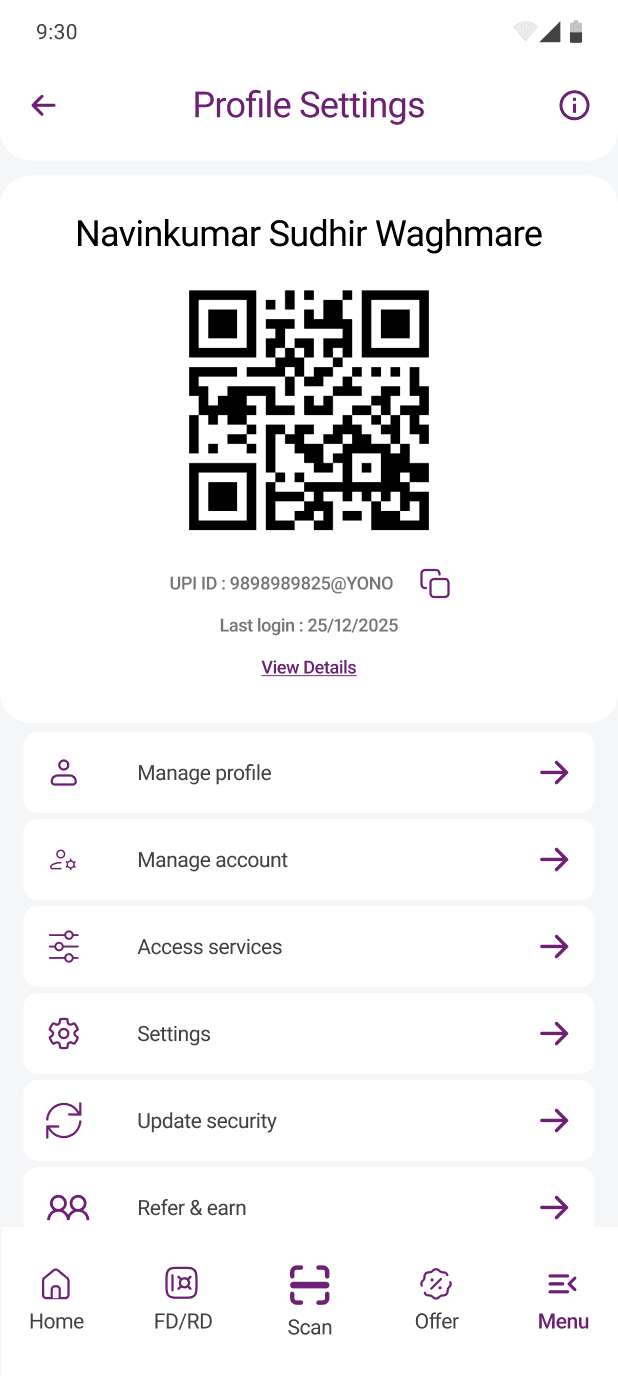
Other Screen
Other Screen
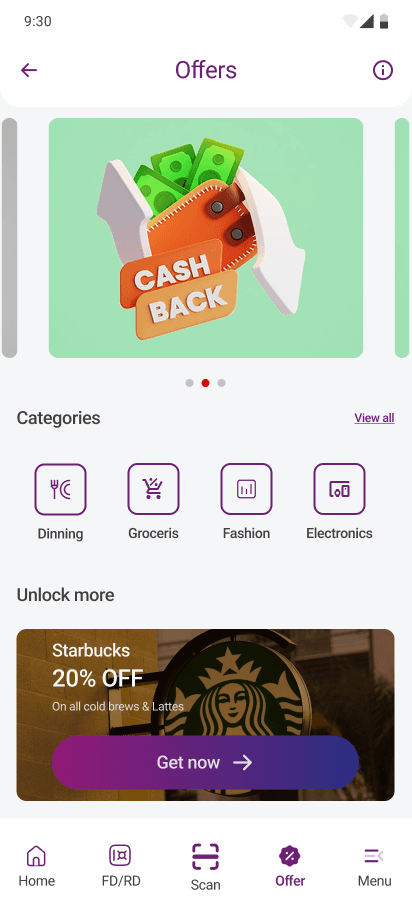
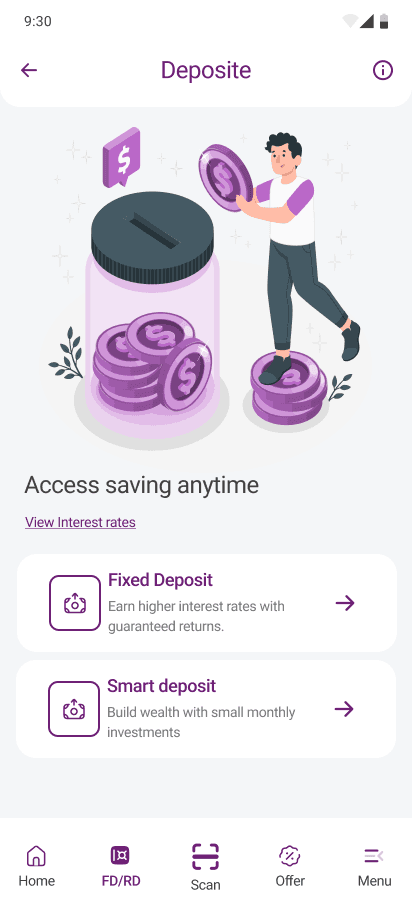
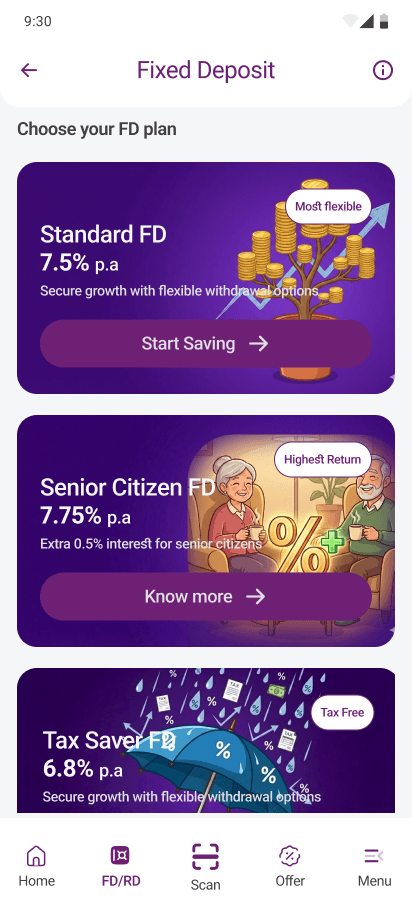
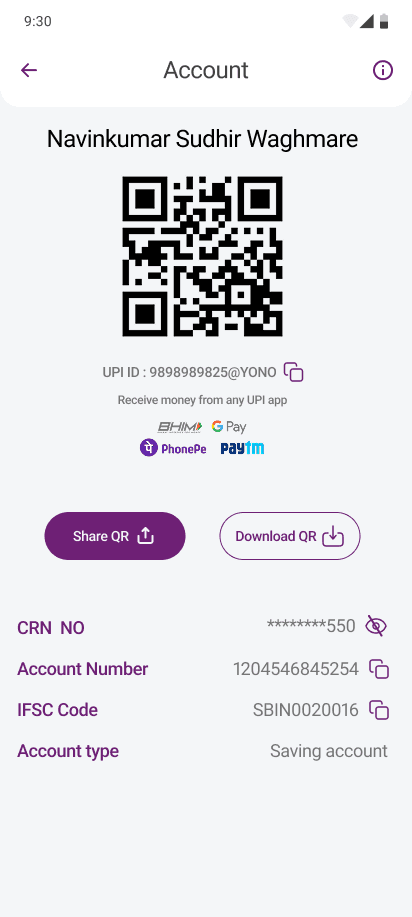
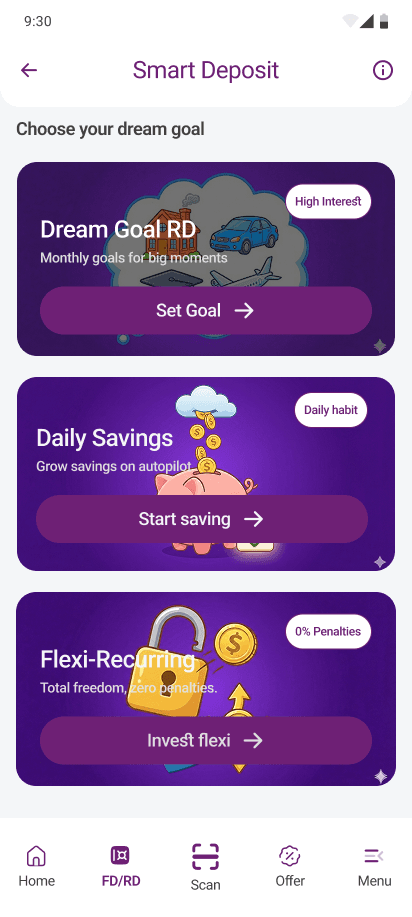
Payment Screen
Payment Screen
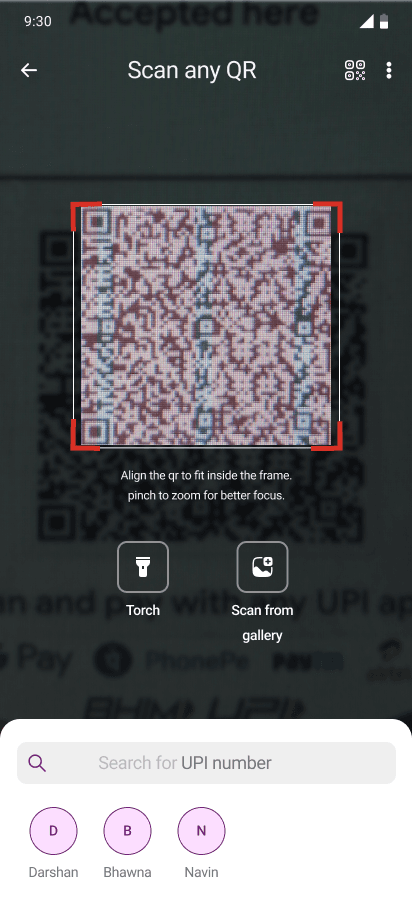
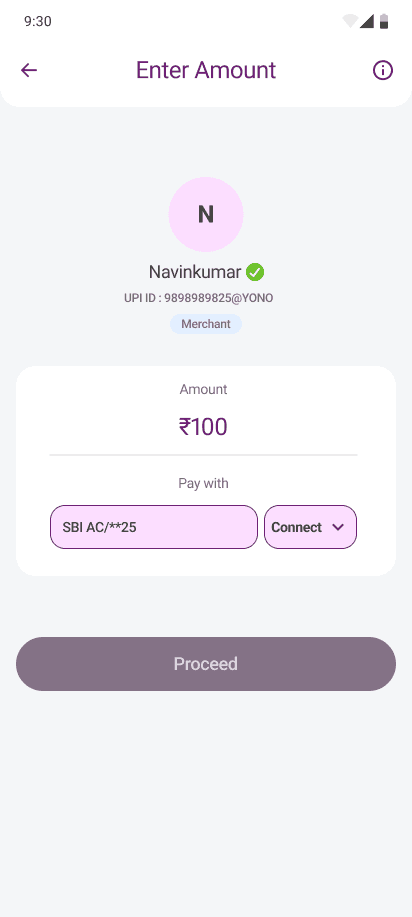
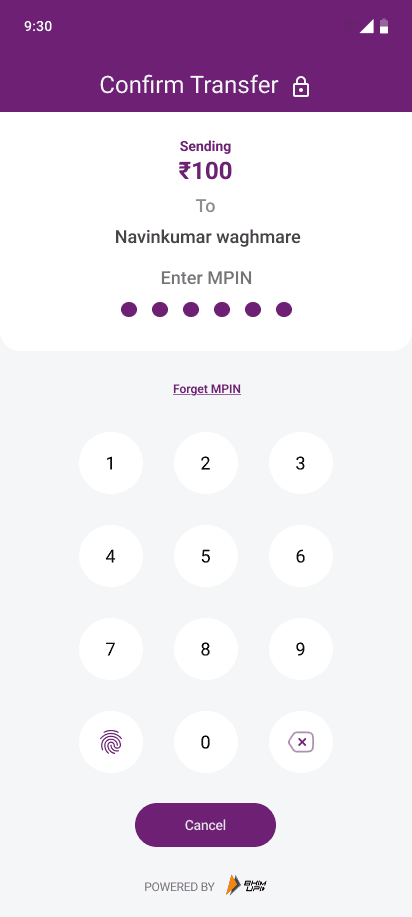
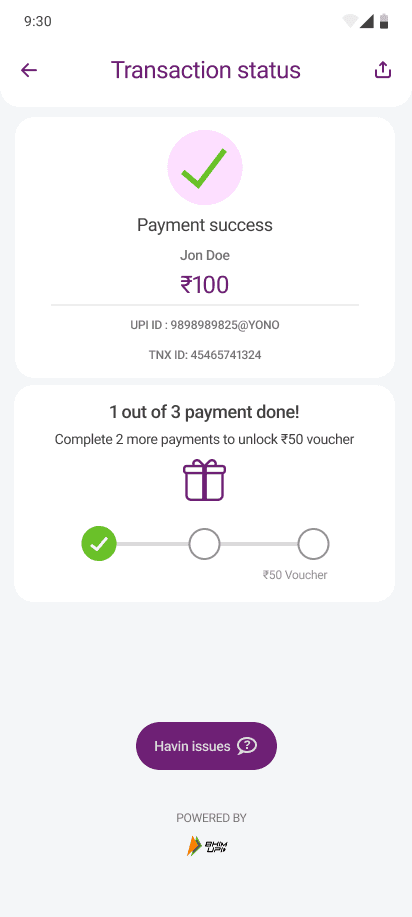
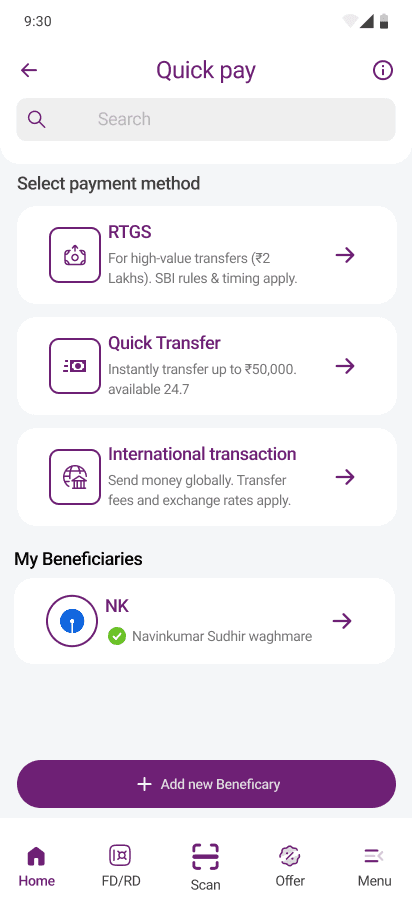
Quick Pay overview
Quick Pay overview
Thanks for Reading

Thanks for Reading
Thanks for Reading
Thanks for Reading
Yay! Thanks for making to the end.
Yay! Thanks for making to the end.
Let's build something together
Let's build something together